Aura Wallpaper Launcher
- 3.4
- Rating
- 50.00K
- Installs
- Free
- Price

 Analysis by App-foxy
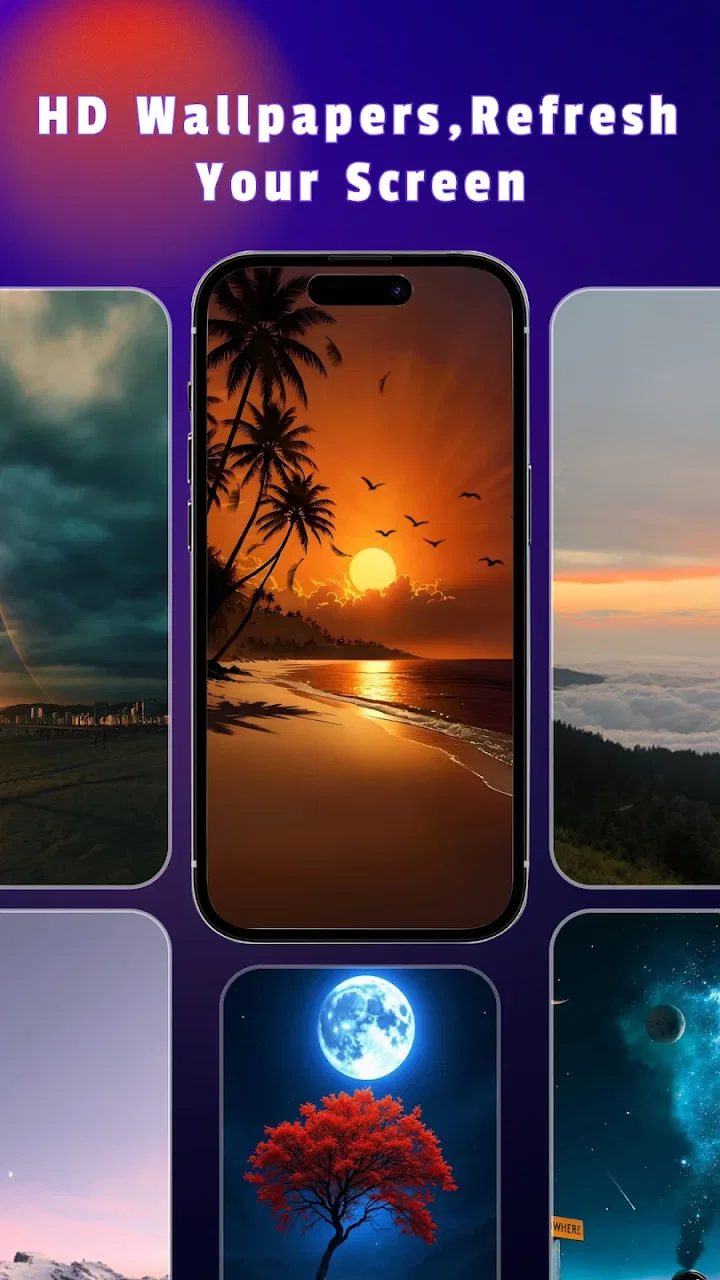
I noticed Aura Wallpaper Launcher because it approaches phone personalization from a simple idea: the background should feel connected to the person using the device, rather than being just another decorative image. After spending time with it, my impression is that it delivers an enjoyable first impression, especially for anyone who likes refreshing the look of a home screen without paying for another customization tool. The more important question, though, is whether that appeal survives after the first few days.
This is a free personalization app from SST Point, rated for Everyone and compatible with Android 8.0 or later. It has reached over 50 thousand installs, with an average rating of 3.4 from more than 100 ratings. Those figures suggest a modest but real audience, while also hinting that expectations should stay realistic. I would not treat it as a complete replacement for every wallpaper or launcher utility. I see it more as a lightweight way to give a phone a distinct visual mood, with its lasting value depending heavily on how often I actually want to change that mood.
How Aura Wallpaper Launcher feels from the first week onward
The first-week appeal is easy to understand. A wallpaper changes the entire emotional tone of a phone in seconds. A plain device can feel calmer, brighter, darker, or more personal without changing the icons, applications, or settings that I already know how to use. That makes this app approachable for people who want visible customization but do not want to spend an evening rebuilding their home screen.
You May Also Like

 Blood Strike: 2.5 Anniversary
Blood Strike’s Loadouts Turn Every Drop Into a Tactical Gamble
A close look at Blood Strike’s custom loadouts: how fast access to signature weapons reshapes its battle royale rhythm, rewards preparation, and narrows the gap between fights.

 Pandora - Music & Podcasts
Pandora’s Music Is Easy to Start, but Harder to Recover
Pandora’s strength is its low-effort path from a seed to a station. Its weak spot is how much confidence it asks you to place in connection, setup, and quiet recovery.

 8 Ball Pool
 Is Built on Rivalries, Rematches, and Routine
A close look at the rivalries, rematches, shared routines, and unanswered safety questions that turn a quick pool match into a persistent mobile community.

 Samsung Music
’s Quiet Strength Is Playing What You Already Own
Its reach comes less from spectacle than from dependable access to a personal library. That simplicity is both the app’s strongest retention engine and its ceiling.

 AccuWeather: Weather Radar
AccuWeather Review: A Quick, Clear Forecast for Everyday Decisions
For everyday plans, the best forecast is the one you can understand quickly. AccuWeather makes rain timing, radar, and local conditions easy to act on, with a few trade-offs.

 Hill Climb Racing
Why Hill Climb Racing Still Turns Crashes Into One More Run
A tiny car, a bumpy hill and one more upgrade: Hill Climb Racing keeps resurfacing because its simple chaos makes every near-miss feel personal.
More From Our News Desk



I also like the fact that the concept is focused. Many personalization tools try to combine wallpapers, icon packs, widgets, themes, ringtones, lock-screen effects, and elaborate launchers. That can be useful, but it can also make a simple task feel like a shopping trip. Aura Wallpaper Launcher is easier to understand as a visual refresh. If my goal is to make the phone feel less generic, I can begin with the background instead of committing to a whole new interface.
During the first few days, the strongest use case is a change of routine. Someone returning from a trip might want a calmer image after seeing the same default background for months. A student could choose a more focused visual style at the beginning of a term. I might also use it after changing a phone case, because matching the screen to the new case makes the device feel intentionally put together rather than assembled from unrelated parts.
That immediate effect is genuine, but it is also the main source of the novelty. A wallpaper is highly visible when I first select it, then gradually becomes part of the background of my daily habits. I stop noticing it while opening messages, checking a calendar, or launching a browser. The app therefore needs to offer enough reason to revisit the visual choice, not merely make the first selection attractive.
One practical tip is to judge a wallpaper with the icons and widgets visible, not only in a preview. A design that looks impressive on its own can make app labels difficult to read or create too much contrast behind frequently used shortcuts. I would also check the lock screen and home screen separately, since a background that feels comfortable in one place may feel distracting in the other. This small test prevents the common mistake of choosing an image for its isolated appearance.
The app is best suited to people who enjoy subtle personalization. If I want a phone that feels more like mine but still behaves exactly as before, a wallpaper-centered approach is less disruptive than installing a full launcher. It is also a reasonable starting point for someone who has never customized Android. There is less to learn, fewer habits to rebuild, and less risk of losing track of familiar controls.
On the other hand, a person expecting advanced home-screen organization may find the experience too narrow. A full launcher is usually better for changing grid layouts, gestures, folders, icon sizing, and app-drawer behavior. A dedicated wallpaper collection may be better for someone whose priority is a very large range of artistic styles. Aura Wallpaper Launcher makes more sense when the desired outcome is a personal visual atmosphere rather than a complete redesign.
What makes the first change feel personal
The phrase “unique” can be overused in personalization apps, so I prefer to interpret it modestly here. The phone becomes more personal when the chosen background reflects a preference that I will still enjoy seeing repeatedly. That might be a restrained color palette, a favorite type of scene, or an image that gives the screen a quieter feel. The important part is not making the device look unusual for its own sake; it is choosing something that fits how I use it.
I found that the most useful selection process is to begin with the phone’s real context. If I check the device outdoors, I need a background that remains legible in bright conditions. If I use it mostly at night, a very bright design may become tiring. If I rely on many home-screen shortcuts, an overly detailed image can compete with them. These are not dramatic limitations, but they determine whether a wallpaper remains pleasant after the initial excitement.
Another useful workflow is to take a screenshot of the home screen before changing anything. That gives me a quick reference for whether the new background improves the arrangement or merely makes it look different. I can compare icon readability, widget visibility, and the overall balance of empty space. This is more reliable than choosing based on a preview alone, especially when the phone has a busy layout.
Whether it earns attention after the novelty fades
I look at whether the app can remain useful once choosing a new background stops feeling like an event. For me, that depends on matching changes to real routines—such as simplifying a busy home screen or adjusting its visual mood—rather than browsing just to find something different. That same practical test also brings the question of access into focus: a good-looking choice matters only if I can comfortably navigate and use the phone around it.
Month-to-month value depends on changing habits
After the first month, the app’s value becomes more personal and less automatic. I do not need a new wallpaper every day, and changing one constantly can make the phone feel unsettled rather than expressive. The better long-term pattern is occasional renewal: keep a background while it still feels right, then change it when a season, project, trip, or mood gives me a genuine reason.
This is where the app can earn a lasting place. It does not need to become a daily destination. A personalization tool can be useful even if I open it only when the current look has become stale. In fact, that lighter relationship may be healthier than repeatedly checking for changes simply because the app is available. I would judge success by whether it gives me a satisfying refresh when I want one, not by how often it occupies my screen.
A realistic everyday scenario would be a person who uses the same phone for work and personal life. On weekdays, a calm, low-distraction background can make a crowded home screen easier to tolerate. Before a weekend away, the user might switch to something more energetic, then return to the quieter choice afterward. The value is not in creating a new identity for every day; it is in giving the device a small visual reset without disturbing the underlying workflow.
For me, the recurring benefit is strongest when I treat wallpaper changes as part of a broader cleanup habit. I might remove unused shortcuts, review the placement of a calendar widget, and then choose a background that supports the revised layout. This makes the app feel less like an endless stream of images and more like one step in maintaining a comfortable phone. A new background alone rarely fixes a cluttered home screen, but it can encourage me to notice the clutter.
There is also a useful trade-off between consistency and variety. Keeping one background for a long time makes the phone feel stable and recognizable. Switching frequently provides more novelty but can make every choice feel temporary. I would recommend establishing a personal rule, such as changing the look only when the current one no longer feels useful or enjoyable. That avoids turning personalization into another small task that demands attention.
Maintenance is light, but attention still has a cost
The maintenance burden appears low because the app’s purpose is straightforward. Once I have a background I like, there is no reason to keep adjusting it. That is a strength for people who want a set-and-forget result. I can make the change, return to normal phone use, and leave the visual setup alone until I genuinely want something different.
Still, “low maintenance” does not mean “no maintenance.” Every new image creates a small decision: does it improve readability, does it suit the current mood, and will I still like it after repeated exposure? If the app encourages me to browse without a clear goal, the time cost can exceed the value of the final change. I prefer opening it with a specific intention, such as finding a darker look, simplifying the screen, or matching a new case.
One non-obvious limitation of wallpaper-based personalization is that the result depends on the rest of the phone. A background can look excellent on a clean home screen and disappointing when notification badges, widgets, and folders cover much of it. This means the app cannot control the full visual experience. If the phone’s system icons or display settings are already visually busy, the best wallpaper may be a restrained one rather than the most striking option.
I would also avoid changing the background immediately after installing the app if I am already tired of making setup decisions. New-phone setup often involves accounts, security, updates, and arranging essential applications. In that situation, a wallpaper can wait. The app is more useful after the basic phone routine is settled, because then I can judge the background against the way I actually use the device instead of against an unfinished layout.
The current version is 1020, and the app was released on February 8, 2026. Those details matter less to everyday use than the simple question of whether the experience remains smooth on a particular device. Since the app supports Android 8.0 and later, it is accessible to users with older phones as well as newer models. I would still evaluate it on the device I plan to use, because visual comfort and responsiveness can vary with screen size, system styling, and the age of the hardware.
Where visual fatigue begins
The main source of fatigue is not complicated navigation; it is repetition. Even a beautiful background can become invisible after enough exposure, while a highly energetic one can become irritating. This is especially noticeable when the phone is checked many times throughout the day. A design that feels exciting during a short browsing session may not be suitable for a device that is constantly used for work, reading, or communication.
I find that visual fatigue often comes from poor contrast rather than from the image itself. If text sits over a bright area, I may start squinting or mentally searching for labels. If a dark image makes icons blend into the background, the phone feels less efficient. For long-term use, clarity should win over drama. That is one reason I would not automatically choose the most colorful or detailed option available.
There is a second kind of fatigue: choice fatigue. Personalization can become less enjoyable when every visit produces another round of comparisons. To avoid that, I would save a small mental shortlist of what works: darker backgrounds for evening use, simple patterns for busy home screens, and softer designs when I want the phone to feel calmer. This turns future changes into quick decisions instead of an open-ended search.
Users who prefer a completely stable interface may not gain much from the app. If the default background is already comfortable and the phone is used mainly as a tool, repeated customization may feel unnecessary. Likewise, people who want animated effects, deeply integrated themes, or extensive control over every interface element should look toward a full launcher or a broader personalization suite. A focused wallpaper app should not be judged as though it were trying to replace those products.
How it compares with familiar alternatives
The usual alternative is the phone’s built-in wallpaper picker. That option has the advantage of being immediate and already integrated into the system. For someone who changes a background once and never thinks about personalization again, the built-in tool may be enough. Aura Wallpaper Launcher becomes more appealing when I want a dedicated visual refresh rather than a setting I happen to visit occasionally.
Another alternative is a complete launcher. Launchers offer more control and can transform the way applications are arranged, but they also introduce more choices and sometimes require adjustment to new gestures or layouts. I would choose Aura Wallpaper Launcher when I want to preserve the familiar Android experience. I would choose a full launcher when the real problem is not the background but the organization of the entire home screen.
Wallpaper galleries are a third option. They may be preferable for users who want to browse a very specific artistic niche or build a large personal collection. Aura Wallpaper Launcher is more suitable for someone who values a direct, personality-focused refresh and does not want to turn wallpaper selection into a collecting hobby. The right choice depends on whether the goal is convenience, breadth, or deeper control.
The free price makes experimentation easy, particularly for users who are unsure whether personalization will become a regular habit. I would still keep expectations proportional to that role. Free access is valuable when it removes friction, but it does not automatically make an app essential. The lasting test is whether the visual change improves my daily relationship with the phone instead of simply giving me another application to revisit.
My long-term verdict for different kinds of users
In the long run, I see Aura Wallpaper Launcher as a pleasant specialist rather than a complete customization system. It earns space on my device if I enjoy refreshing the phone’s mood occasionally and want a simpler alternative to a full launcher. Its strongest quality is restraint: it can change the appearance of the device without forcing me to relearn how the device works.
I would recommend it to someone who has become bored with a default background, wants a free personalization option, or prefers visual changes over technical customization. It is also a good fit for a shared household where each person wants a phone to feel more individual without changing the underlying Android controls. The Everyone rating makes it approachable for a broad audience, although the right choice still depends on personal taste and tolerance for visual change.
I would skip it if I am looking for advanced icon management, detailed gesture controls, extensive layout editing, or a major productivity improvement. In those situations, a full launcher is the better investment of time. I would also skip it if my current wallpaper already works perfectly and I rarely notice the home screen. Installing another personalization app will not create value simply because the category sounds appealing.
My practical recommendation is to use it selectively. Choose a background with icon readability in mind, test it during the parts of the day when the phone is used most, and give it enough time to move beyond the first impression. If it still feels comfortable after the novelty disappears, it has done its job. If I find myself browsing for replacements without improving the phone’s everyday feel, the app has become a source of distraction rather than personalization.
Overall, SST Point has created a straightforward way to make an Android device feel less anonymous. The app’s long-term strength is not constant novelty but occasional renewal with very little disruption. Its lasting value comes from helping the phone feel intentionally chosen, not permanently different. That makes it worth trying for casual personalizers, while users seeking a full interface transformation should choose a broader tool instead.
FAQs for Aura Wallpaper Launcher
01What is Aura Wallpaper Launcher and what makes it unique?
Aura Wallpaper Launcher is an innovative app designed to personalize your Android or iOS device with stunning wallpapers and seamless launch capabilities. Its uniqueness lies in the integration of dynamic, high-resolution images with intuitive navigation features, enhancing both the aesthetic and functional experience of your device.
02Is Aura Wallpaper Launcher compatible with all devices?
Aura Wallpaper Launcher is compatible with most Android and iOS devices. However, it is essential to check the app requirements on the download page to ensure your device supports all features. Make sure your operating system is updated to the latest version for optimal performance.
03Does Aura Wallpaper Launcher consume a lot of battery or data?
The app is designed to be energy-efficient, minimizing battery consumption by optimizing wallpaper refresh rates. It also allows users to choose between static and dynamic wallpapers to manage data usage. However, dynamic wallpapers may use more data, so it's advisable to use Wi-Fi whenever possible.
04Are there any in-app purchases or ads in Aura Wallpaper Launcher?
While Aura Wallpaper Launcher is free to download, it offers in-app purchases to unlock premium features and exclusive wallpaper collections. The free version does include ads, but purchasing premium options can provide an ad-free experience along with additional customization tools.
05How can I customize my home screen with Aura Wallpaper Launcher?
Customizing your home screen is simple with Aura Wallpaper Launcher. Users can choose from a vast library of high-quality wallpapers or upload their own images. The app also offers customizable widgets and themes, allowing for a personalized and unique home screen setup. Simply navigate through the app's intuitive interface to make your selections.
Pros
- Intuitive user interface enhances ease of use.
- Wide variety of high-quality wallpapers available.
- Minimal impact on device performance.
- Customizable themes for personalization.
- Regular updates with new features and improvements.
Cons
- Ads can be intrusive at times.
- Limited free features without subscription.
- Some wallpapers require premium access.
- Occasional bugs in older device models.
- Initial setup can be time-consuming.

Aura Wallpaper Launcher
Gallery